
RecoilJS - experimental state manager from Facebook

Before we say a bit more about Recoil, let's go back a few steps to... Redux. You surely know or at least have heard about it. It is currently the most popular state manager used in the React ecosystem. You can love it or hate it, but its popularity proves that it does its job. Already several times there was a buzz in the community that a "slayer" of Redux is coming, when subsequent libraries for state management were created or the React team released something new to the world that was to some extent related to state management (I mean here, for example, Context and Hooks ;)). Is a knight on a white horse finally coming to save us from Redux? In my opinion - none of these things. Simply another tool is being created, which may (but does not have to) be more convenient to apply when managing application state in a given case.
Re… co(il)?
Recoil is a state manager that on May 14, 2020 was made available in the experimental phase by the Facebook team on GitHub. This library is definitely worth attention. Despite the fact that it does not belong to React Core, it has been perfectly matched to the current state of React and allows for a very easy jump from managing the local state of components using Hooks to a global state based on a similar API.
Some theory before we get to the code
Recoil is based on three basic concepts - atoms, selectors and container:
-
Container (RecoilRoot) – to use state management using Recoil we must place RecoilRoot in the component tree. What must be remembered is that it should be located above the components it manages. Otherwise, we won't connect to it. A good place to put it is the entry file to our application (usually App) - just wrap everything in <RecoilRoot> and use.
-
Atoms – represent a fragment of state. Allow for both its reading and modification. The above operations can be done from the level of any component located inside RecoilRoot. Components reading state from a given atom become associated with it (through subscription) and with each change of the atom's state they will be re-rendered with new values.
-
Selectors – are pure functions taking atoms or other selectors as input parameter, based on which they calculate their state. We will mainly use them for reading, however they also provide an API allowing for state changes. Selectors are updated with each change of the atom or selector on which they depend.
The combination of atoms and selectors has the advantage that using them we keep minimal data necessary to manage the application in the global state (atoms). All their derivatives, however, which are used only for presentation (reading), will be dynamically calculated using selectors. In this way, we avoid "bloating" the global state with derivatives created for the needs of individual views and maintain its consistency by recalculating selectors returning read-only values with each change of associated atoms.
And now to specifics...
Learning Recoil, first I wrote a simple Counter example, counting the state resulting from pressing the "-", "+" and "RESET" buttons. Unfortunately, as soon as I jumped deeper into the documentation, it turned out that this example limits me. I lacked an idea how I can meaningfully use selectors in it. As a result of dissatisfaction with self-limitation, I wrote one more simple example - this time directed typically under selectors. It was a calculator calculating the sum of two digits. Below you will find the source code of both examples, along with a discussion.
To show the simplicity of jumping from Hooks to Recoil, the Counter example will be first written on Hooks, after which we will migrate management of its state to Recoil. And now... to the code!
Let's start by building a Counter based on useState. The solution will be based on styled-components. I won't focus on them now - in the near future I will definitely write a few words about it.
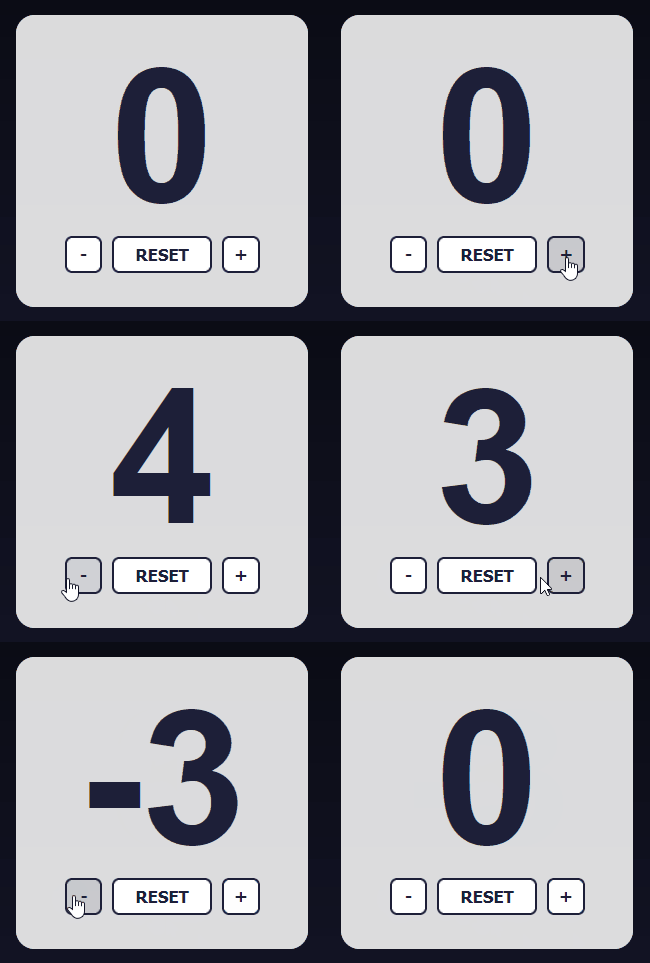
// Counter.jsx
export const Counter = () => {
const [counter, setCounter] = useState(counterState);

return (
  <Styled.Form>
    <Styled.Counter>{counter}</Styled.Counter>
    <Styled.Buttons>
      <Styled.DecrementButton onClick={() => setCounter(counter - 1)}>
        -
      </Styled.DecrementButton>
      <Styled.ResetButton onClick={() => setCounter(0)}>
        RESET
      </Styled.ResetButton>
      <Styled.IncrementButton onClick={() => setCounter(counter + 1)}>
        +
      </Styled.IncrementButton>
    </Styled.Buttons>
  </Styled.Form>
);
};
As you can see - so far without fireworks. Note that currently we have the state based on useState. So let's try to reproduce the same thing using Recoil. According to the documentation, we should first wrap our components in RecoilRoot, I will wrap the entire application with it:
// index.jsx
<RecoilRoot>
  <App />
</RecoilRoot>
That wasn't too difficult. The next step we will take will be to create an atom, which will be described by a unique key and will contain the initial state it represents.
// state.js
export const counterState = atom({
  key: "counterState",
  default: 0,
});
Then we can use it using the hook useRecoilState provided by Recoil. It provides exactly the same API as useState, therefore in our component the only thing that will change is one line describing our local state. So the new link to the state has the following form:
// replace line with useState in Counter.jsx
const [counter, setCounter] = useRecoilState(counterState);
And... that's it! We achieved exactly the same operation as in the case of useState, with the difference that now we have a global state. If we wanted, we can create another component that will use it (e.g. it can be based on a selector to only be able to read values) and automatically it will become synchronous to the state contained in the atom.
Let's move now to the SumCalculator. I already wrote a little something about selectors, but it will be much easier to understand their operation when we support them with an example of use. So let's create a simple calculator adding two digits. We will go through a similar path as in the case of the Counter component - let's start with the local state using Hooks, and then jump into what the known API offers us.
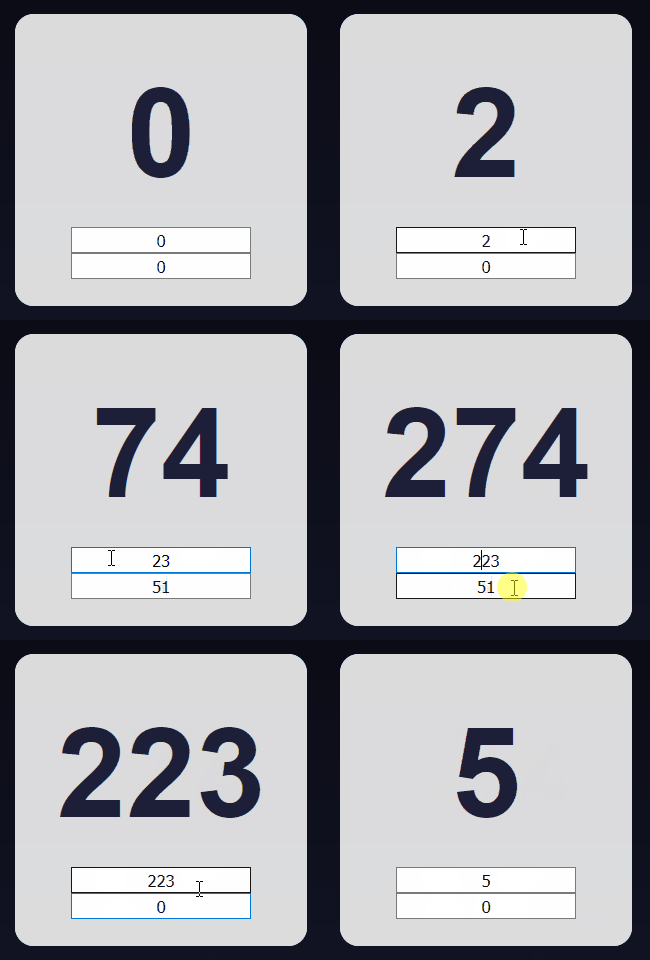
// SumCalculator.jsx
export const SumCalculator = () => {
  const [inputsState, setInputsState] = useState({
    firstNumber: 0,
    secondNumber: 0
  });

  const handleInputChange = (e) => {
    const { name, value } = e.target;

    setInputsState({
      ...inputsState,
      [name]: value,
    });
  };

  const calculateSum = () => {
    const { firstNumber, secondNumber } = get(sumInputsState);

    const result = Number(firstNumber) + Number(secondNumber);

    if (typeof result !== "number" || isNaN(result)) return 0;
    return result;
  }

  return (
    <Styled.Form>
      <Styled.Sum>{calculateSum()}</Styled.Sum>
      <Styled.Inputs>
        <Styled.NumberInput
          name={"firstNumber"}
          value={inputsState.firstNumber}
          onChange={handleInputChange}
        />
        <Styled.NumberInput
          name={"secondNumber"}
          value={inputsState.secondNumber}
          onChange={handleInputChange}
        />
      </Styled.Inputs>
    </Styled.Form>
  );
};
As you can see, we defined the state for both inputs, a method allowing for updating this state and a method calculating the sum, which we then display when rendering. How will it look using Recoil? Similar to the previous example - first let's define an atom containing our minimal state.
// state.js
export const sumInputsState = atom({
  key: "sumInputsState",
  default: {
    firstNumber: 0,
    secondNumber: 0,
  },
});
The state handling our inputs looks exactly the same as our useState, with the difference that it has an additional key and is pulled out of the component (which by the way improves readability). And what will the calculation of the sum look like? This is exactly where selectors come in. As I mentioned earlier, these are pure functions that return us processed values being read-only. So let's define a selector for the sum. Its logic will be moved directly from the sumCalculator component.
// state.js
export const sumState = selector({
  key: "sumState",
  get: ({ get }) => {
    const { firstNumber, secondNumber } = get(sumInputsState);

    const result = Number(firstNumber) + Number(secondNumber);

    if (typeof result !== "number" || isNaN(result)) return 0;
    return result;
  },
});
As you can see, it is almost a copy of the state we had using basic react Hooks. The only differences are - just like in the case of atoms - describing a piece of state with a unique key and a get field allowing us to later use the selector. A place that may puzzle is destructuring get in the parameter and its subsequent use with the sumInputsState argument. I hasten to explain. In this way Recoil allows us to retrieve values from other atoms or selectors and further process them for our needs. So we can pass one value through several selectors and gradually modify it depending on the needs we have. One more word about how the state of our component looks now. We replaced useState with useRecoilState (a method allowing for both reading and writing) and the calculated sum in the selector we download using the function useRecoilValue (constituting a read-only API).
// replace state and sum calculation in SumCalculator.jsx
const [inputsState, setInputsState] = useRecoilState(sumInputsState);
const sum = useRecoilValue(sumState);
Simple right? In my opinion even very simple, and in addition provides a very low degree of code coupling which significantly facilitates its subsequent maintenance.
That would be all from today's topic. If you want to play with the example, I invite you to GitHub, there you can download it and experiment at will.
More to read / watch about Recoil here: